Single Mockup Generator
Place one design into a mockup, control the fit, and export polished files in a few focused clicks.
Explore workflowMockupPilot doesn’t just generate images. It builds a clean, publish-ready product folder for every design—with its own mockups, names, and formats.
Mockup Group 1/Any number of product-view PSDs
Mockup Group 2/Any number of product-view PSDs
Mockup Group 3/Any number of product-view PSDs
Product 001/1 source image
Product 002/1 source image
Product 003/1 source image
Product 001 - Ready Images/All generated product views
Product 002 - Ready Images/All generated product views
Product 003 - Ready Images/All generated product views
Replacing smart objects is only half the job. Naming, resizing, exporting, and sorting every file into the right product folder turns a creative day into production admin.
Start with a single image or move an entire catalog toward publish-ready output.
Place one design into a mockup, control the fit, and export polished files in a few focused clicks.
Explore workflowSend a design through an entire mockup set and create a consistent product image collection.
Explore workflowPair mockup folders with design folders. MockupPilot processes each pair and creates one clean image folder per product.
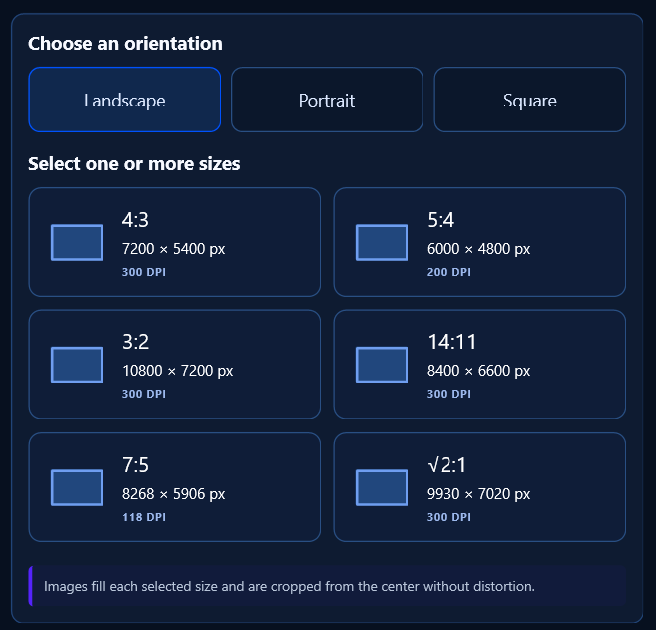
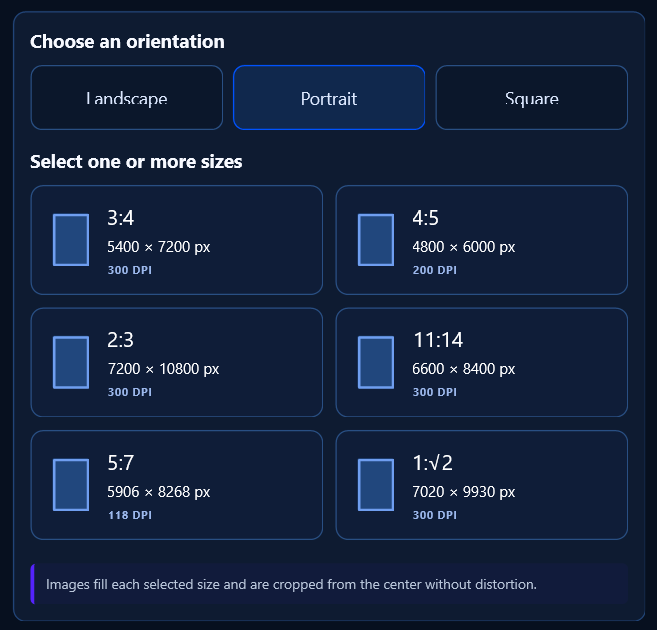
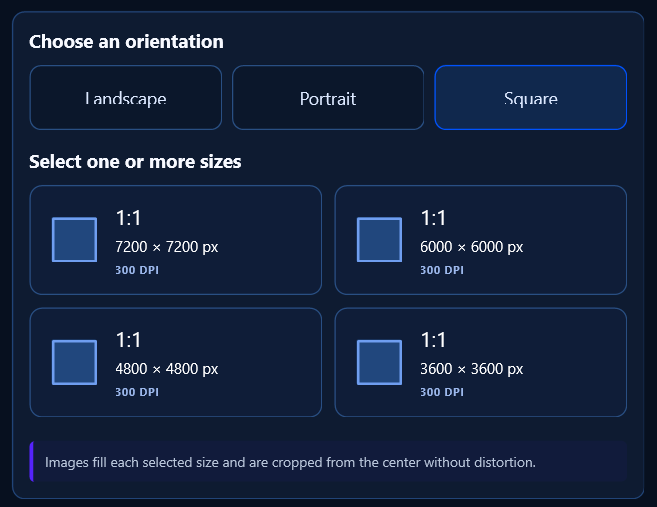
Explore workflowProgrammatically create Landscape, Portrait, and Square sizes—organized and ready for print.
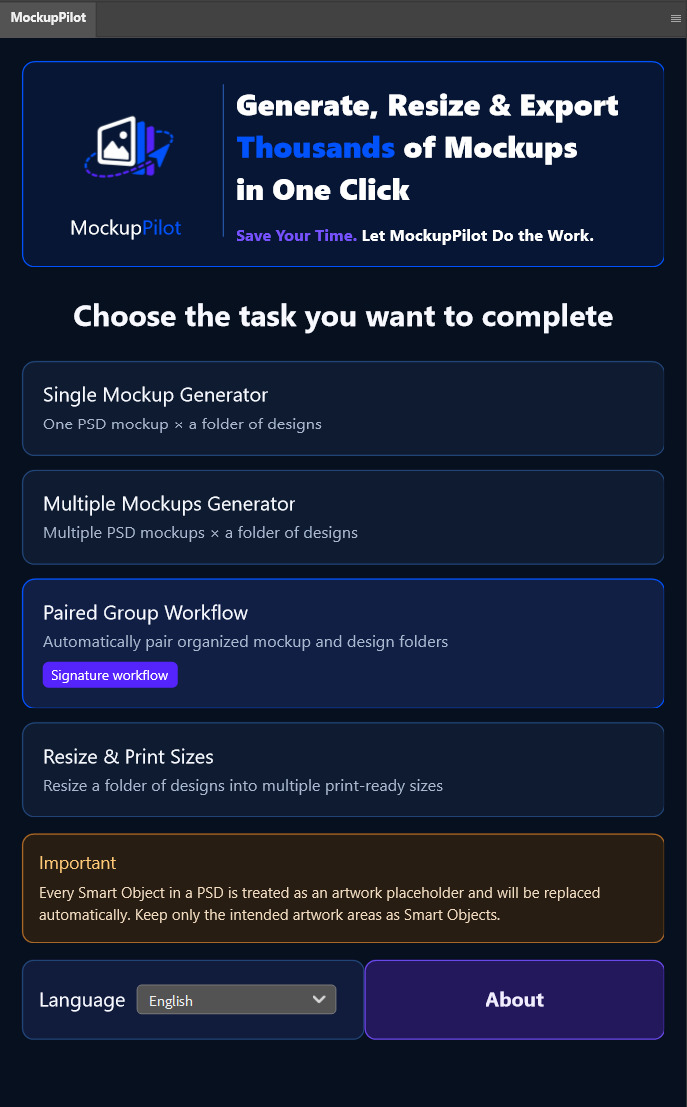
Explore workflowThe screenshots below are taken from the real plugin for Photoshop, so every step matches what you will see while working.
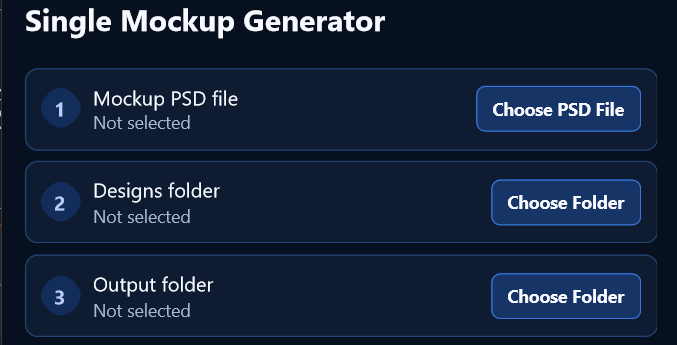
Use this workflow when one PSD or PSB mockup needs to receive a folder of designs.
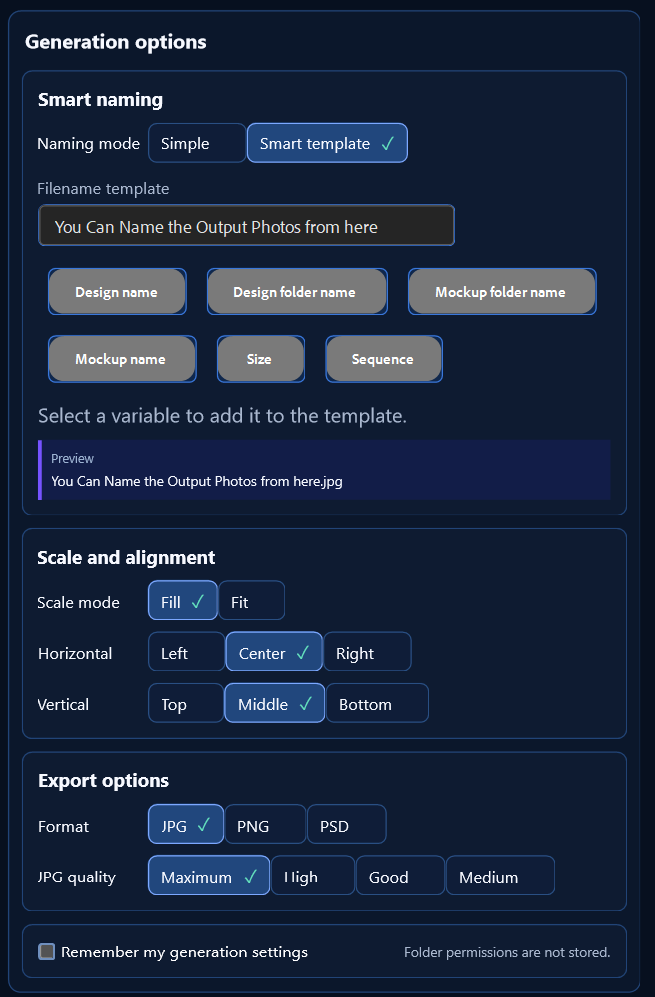
Use a complete folder of PSD or PSB mockups with a complete folder of designs to produce a consistent collection in one run.
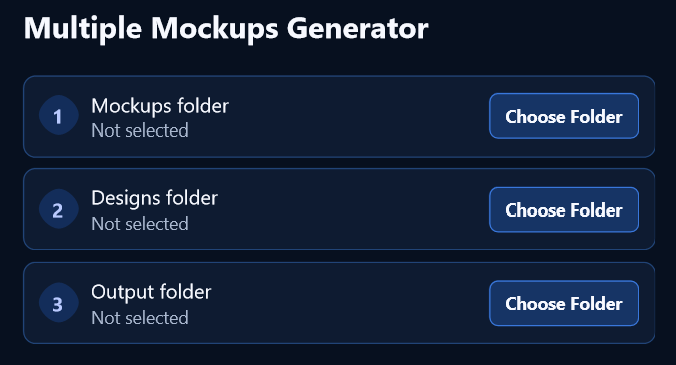
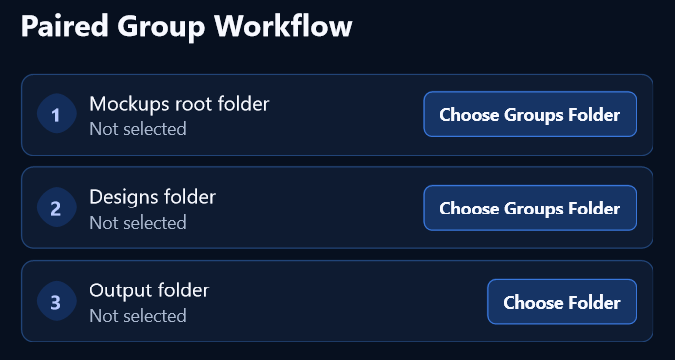
Match organized mockup groups with organized design groups, then create a clean result for each pair.
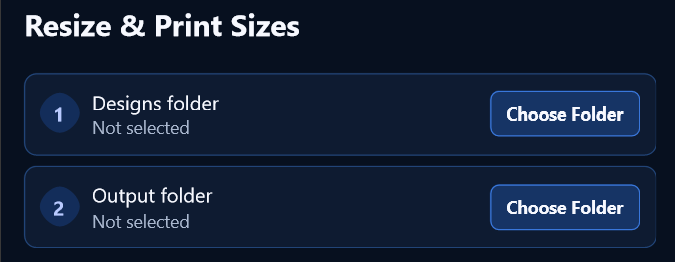
Turn a folder of designs into print-ready Landscape, Portrait, or Square files without manually entering dimensions.
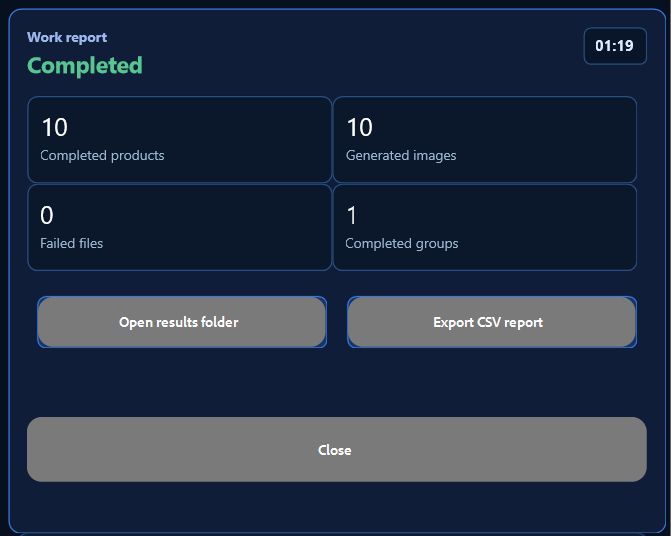
Every workflow ends with a clear report, so a large automated run is easy to verify instead of becoming a black box.
Keep one source image in its product folder and pair it with a folder containing as many product-view PSD mockups as needed. MockupPilot places the same image into every view and returns one organized folder of ready-to-display product images.
Folder switching is automatic and follows sorted order.Mockup Group 1 pairs with Product 001, Group 2 with Product 002, and so on—first with first, second with second.
Select one or more presets in the plugin and generate them together.
Choose Landscape, Portrait, or Square, then select from multiple prepared ratios and resolutions. MockupPilot creates every selected output in one organized run.
Enter your real workload and your own manual time. The MockupPilot estimate uses a fixed eight-second baseline for each generated image.
Estimated baseline, not a performance guarantee. The calculator uses approximately 8 seconds per generated image for a mid-range computer, an average-size design, and an average PSD or PSB mockup containing one Smart Object. Actual processing time can vary with file dimensions, Smart Object count and complexity, export format, storage speed, Photoshop, and computer performance.
The work is not only generating an image—it is everything that happens before and after each export.
01Open the PSD
02Replace the source image
03Save the result
04Repeat for every product view
05Rename every file
06Sort each product’s images
07Create the product folders
01Choose product mockup and source-image folders
02Choose the output destination
03Set naming and export preferences
04Click Generate
05Receive ready-to-display images organized by product
Many tools automate Smart Object replacement. MockupPilot goes further with paired product groups, Smart Naming, print resizing, and detailed production reports inside one plugin for Photoshop.
| Workflow capability | MockupPilot | Typical batch plugin for Photoshop | Online mockup generator | Separate image resizer |
|---|---|---|---|---|
| Pricing approach | $49 launch edition | Free, subscription, or license | Often subscription | Separate tool cost |
| Bulk PSD and PSB mockup generation | ✓ Built in | ✓ Common | ✓ Common | — |
| Pair each source-image folder with its matching product mockup group | ✓ Paired Group | Varies / manual setup | Usually template batches | — |
| Create one organized folder of ready product images per product | ✓ Automatic | Varies by tool | Often ZIP or downloads | — |
| Resize source images to prepared print ratios and DPI values | ✓ Same plugin | Usually another step | Marketplace sizes vary | ✓ Core function |
| Generate several selected print sizes in one run | ✓ Built in | Often separate workflow | Varies by service | ✓ Common |
| Smart filename templates using product and mockup variables | ✓ Live preview | Varies by tool | Usually limited | Basic renaming |
| Work summary plus detailed CSV failure report | ✓ Built in | Varies by tool | Usually limited | — |
| Runs locally inside Photoshop | ✓ Local | ✓ Common | Cloud/browser | Varies |
| Designed around large ecommerce and print catalogs | ✓ Primary use case | Bulk images | Fast listing visuals | Sizes only |
For stores with many productsKeep source images, product mockup groups, filenames, and ready-image folders predictable from the first product to the last listing.
For print-focused sellersCreate product mockup views and prepared Landscape, Portrait, or Square print sizes without moving to a separate resizing add-on.
Public price examples checked September 2026: Mockup Script lists $14.99/month, $45/year, or $99 for its one-time plan; Mediamodifier lists free, $25/month Professional, and $45/month Team plans. Prices and capabilities can change and are not like-for-like. Workflow comparison also references printMockup, Mockgo, Dynamic Mockups, and MockItReal.
Finds the right placement layer automatically.
Choose edge-to-edge coverage or full-image visibility.
Center and align images consistently across product views.
Use simple prefix/suffix naming or build filename templates from product and mockup variables.
Export in the format your workflow needs.
Track, stop, and resume longer production runs.
One independent folder for every finished product.
A flexible interface for global creative teams.
Your product images stay on your own computer.
Review elapsed time and results, then export a detailed CSV with failures and reasons.
Build consistent listing sets.
Prepare more variants at scale.
Keep catalogs upload-ready.
Standardize production handoff.
We won’t fill this space with invented testimonials. Verified customer stories and real production results will appear here after the first creators have put MockupPilot through their workflows.
Customer stories pending launchGenerate mockups, organize product galleries, build smart filenames, audit every run, and prepare print sizes inside one workflow for Adobe Photoshop.
MockupPilot launch edition
Download for Photoshop Secure purchase and installation through Adobe Exchange.Curated files designed to drop cleanly into your MockupPilot workflows—without distracting from the plugin that runs them.
Packaging, objects & retail scenes
Tees, totes & textiles
Screens & digital products
Multi-ratio print collections
MockupPilot is designed for Adobe Photoshop 2023 and later.
Yes. MockupPilot is compatible with both macOS and Windows and runs locally on your computer.
Yes. MockupPilot works with your own PSD mockups for Adobe Photoshop, so you keep your existing scenes, lighting, shadows, textures, and brand style.
Each product-image placement area should be a Smart Object. MockupPilot treats Smart Objects as image placeholders and replaces them automatically.
No. MockupPilot automates real PSD mockup production inside Photoshop, preserving the structure and visual quality of the mockup files you selected.
Single uses one PSD mockup with a folder of designs. Multiple uses a folder of PSD mockups with a folder of designs to create a wider image set in one run.
It pairs one organized design folder with its matching mockup folder. Add as many PSD mockups as the product needs, and MockupPilot creates one product folder containing every requested presentation image.
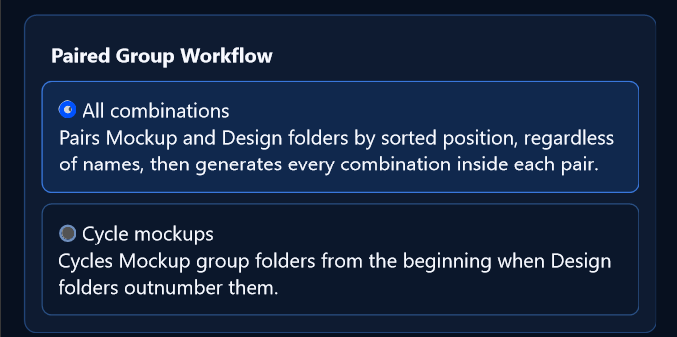
Use All combinations when every design should appear in every mockup in its paired group. Use Cycle mockups when you want the available mockup groups to repeat in order across a larger number of design groups.
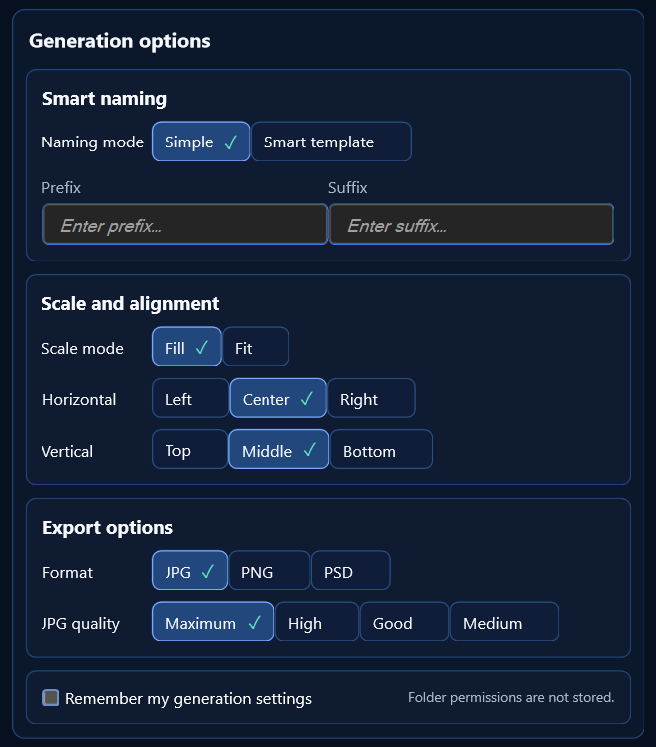
Yes. Choose Fill for edge-to-edge coverage or Fit to keep the full source image visible, then select horizontal and vertical alignment.
You can export JPG, PNG, or PSD. JPG exports also include Maximum, High, Good, and Medium quality choices.
Choose Simple mode for optional prefixes and suffixes, or Smart template mode to build filenames from variables such as design name, design folder, mockup folder, mockup name, size, and sequence. A live preview shows the final filename before generation.
No. Each selected preset is filled from the center and cropped without distortion. Landscape, Portrait, and Square orientations include multiple ready-made pixel sizes and DPI values.
Yes. Select one or several presets within the chosen orientation and MockupPilot creates the selected sizes in the same run.
No. Generation preferences can be remembered, but folder permissions are not stored and folders must be selected when required.
No. Processing happens locally in Photoshop on your machine.
Yes. MockupPilot recognizes PSB files and processes them in the same way it handles PSD mockup files.
After every run, the report shows the result status, elapsed time, completed products, generated images, failed files, and completed groups. You can open the results folder or export a detailed CSV report containing every item, including failures and their reasons.
The launch edition is currently presented at $49 and includes all four workflows. Final inclusions and future upgrade terms may be adjusted before checkout goes live.
The workflow includes progress tracking plus stop and resume controls for longer jobs.
Move from finished design to ready-to-list product without losing the day to repetitive Photoshop work.
Get MockupPilot — $49Contact the MockupPilot support team and we will be happy to help.